


What Is a Custom Avatar?
A Custom Avatar is a digital representation of yourself that you can reuse in your videos. Once your avatar is ready, simply provide a script and let it present your content—without recording yourself each time.
👇 Tutorial Video 👇
Getting Started
- Log in to your JoggAI account.
- Click Create Your Own Avatar on the homepage, and then select Custom Avatar.
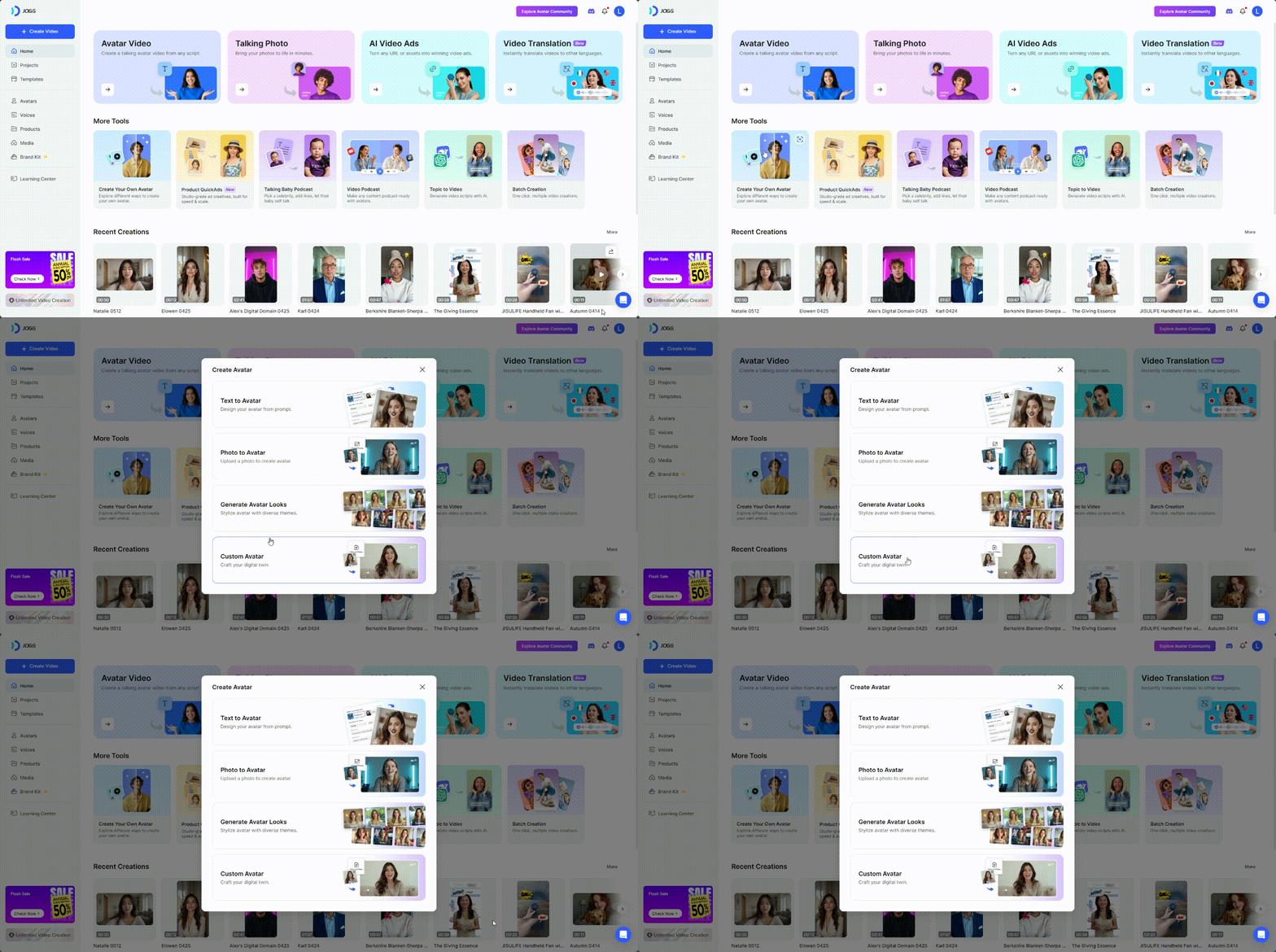
Note: The number of Custom Avatars you can create depends on your subscription plan. Visit the JoggAI Pricing Page to compare current plan allowances.
Upload Your Avatar Footage
Record your avatar footage using a webcam, or upload a higher-quality video captured with your phone or camera.
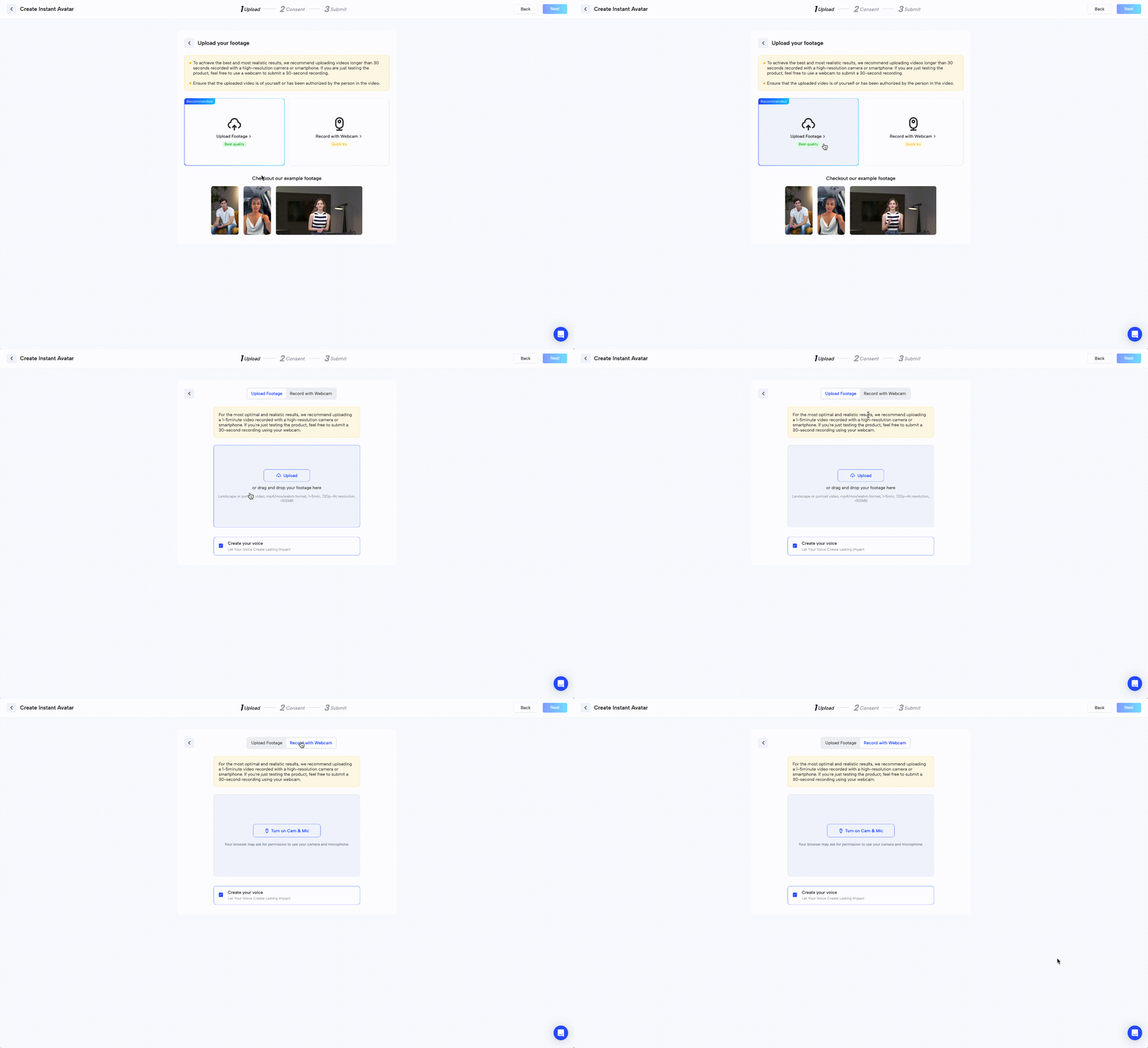
Submit Your Consent Video
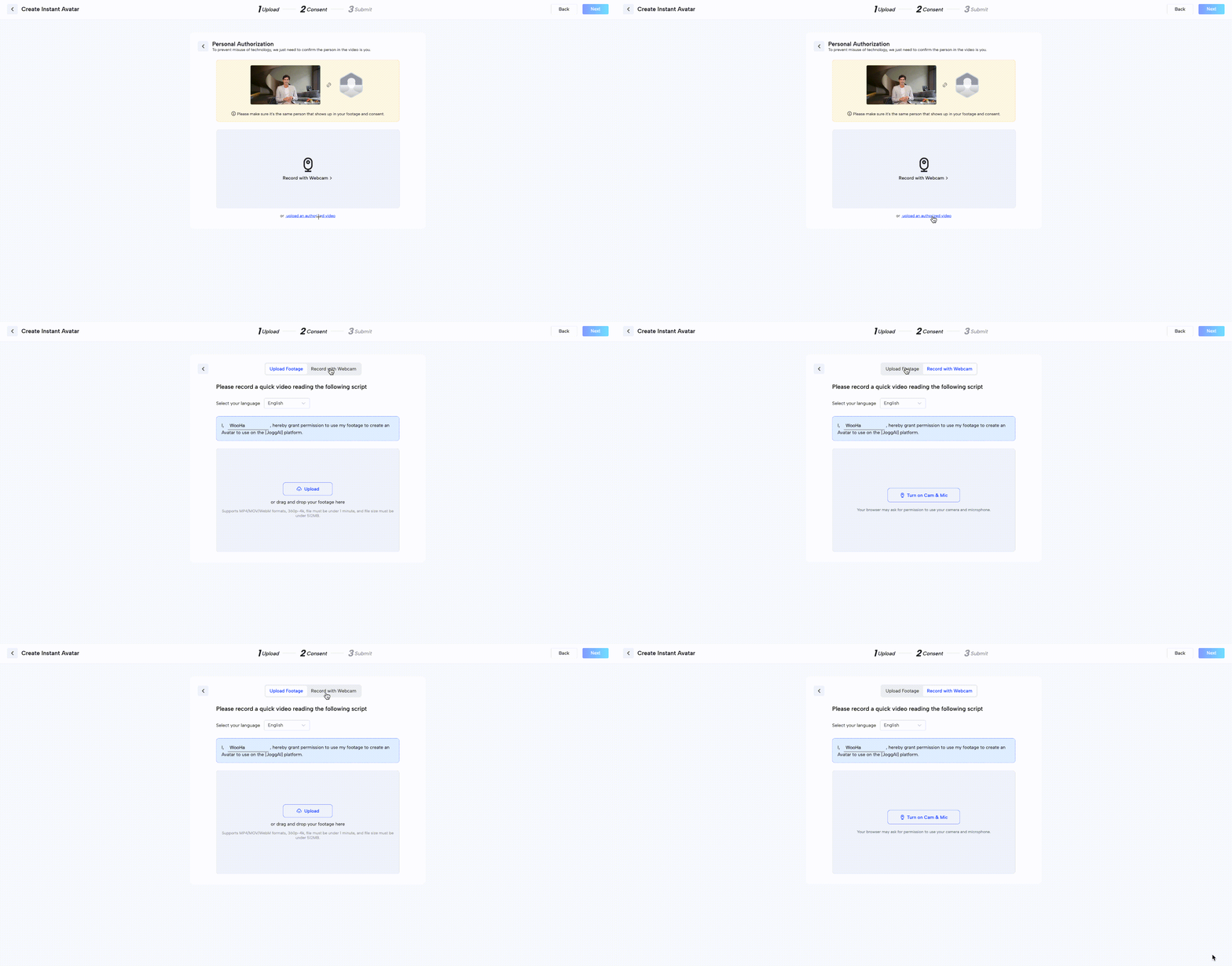
To protect your identity and comply with AI safety requirements, you must submit a short consent video confirming that you agree to create the avatar.
Consent Video Requirements
- Include the consent text provided by JoggAI.
- Keep the video under 30 seconds.
- Make sure your face is clearly visible and your voice can be heard.
- Use lighting, framing, and recording conditions similar to your avatar footage.
Ways to Submit Your Consent Video
- Upload Footage: Upload a prerecorded consent video.
- Record with Webcam: Record the consent video directly with your webcam.
Common Consent Issues to Avoid
- Different Person: The person in the consent video must be the same person shown in the avatar footage.
- Screen Recording: Do not submit a recording of another screen playing the consent statement.
- Poor Video or Audio Quality: Make sure the video is well-lit and the consent statement can be heard clearly. Videos that are too dark, blurry, or difficult to hear may not be accepted.
Create Videos with Your Avatar
Select your Video Avatar and click Create Talking Avatar Video.
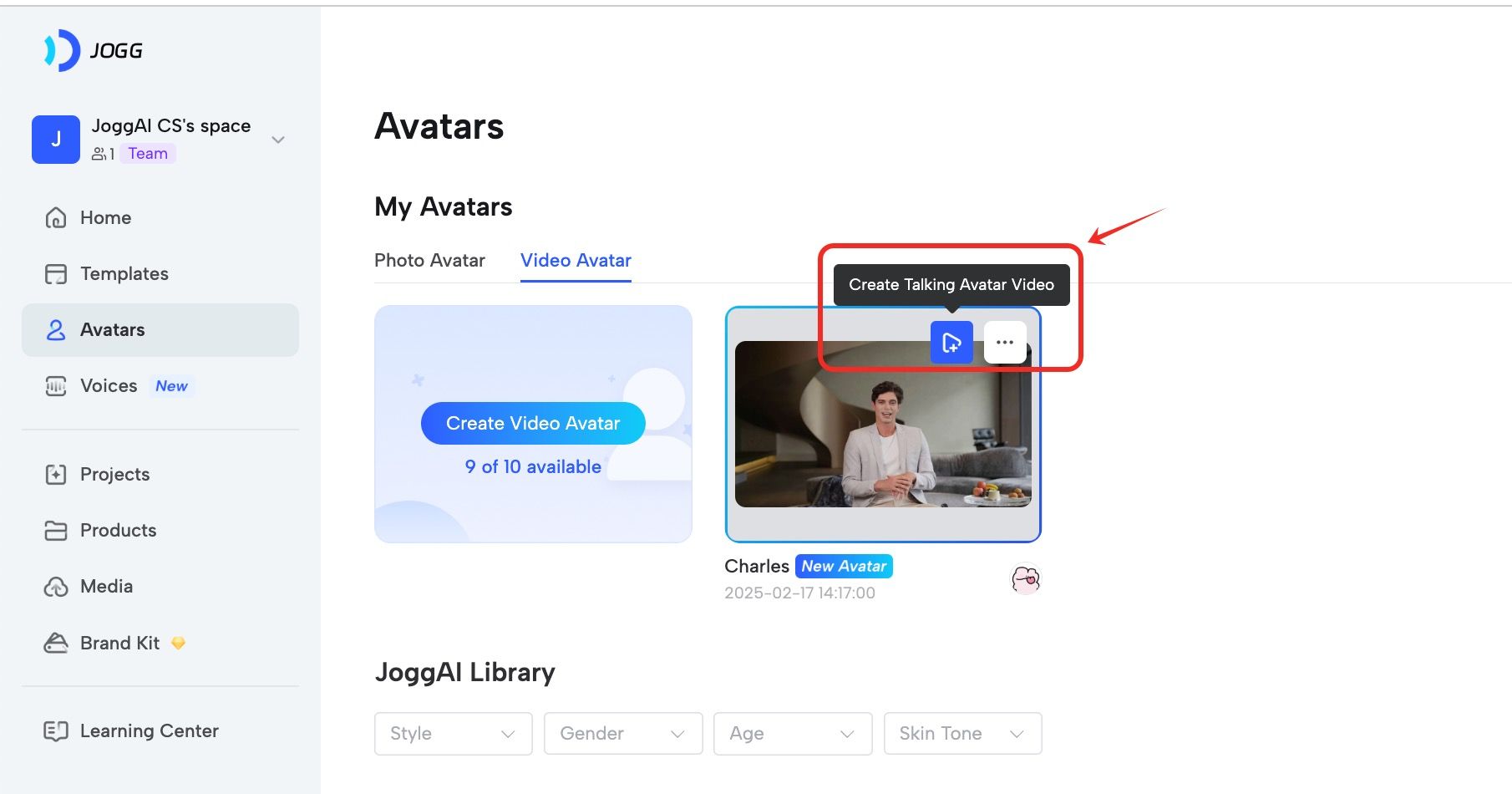
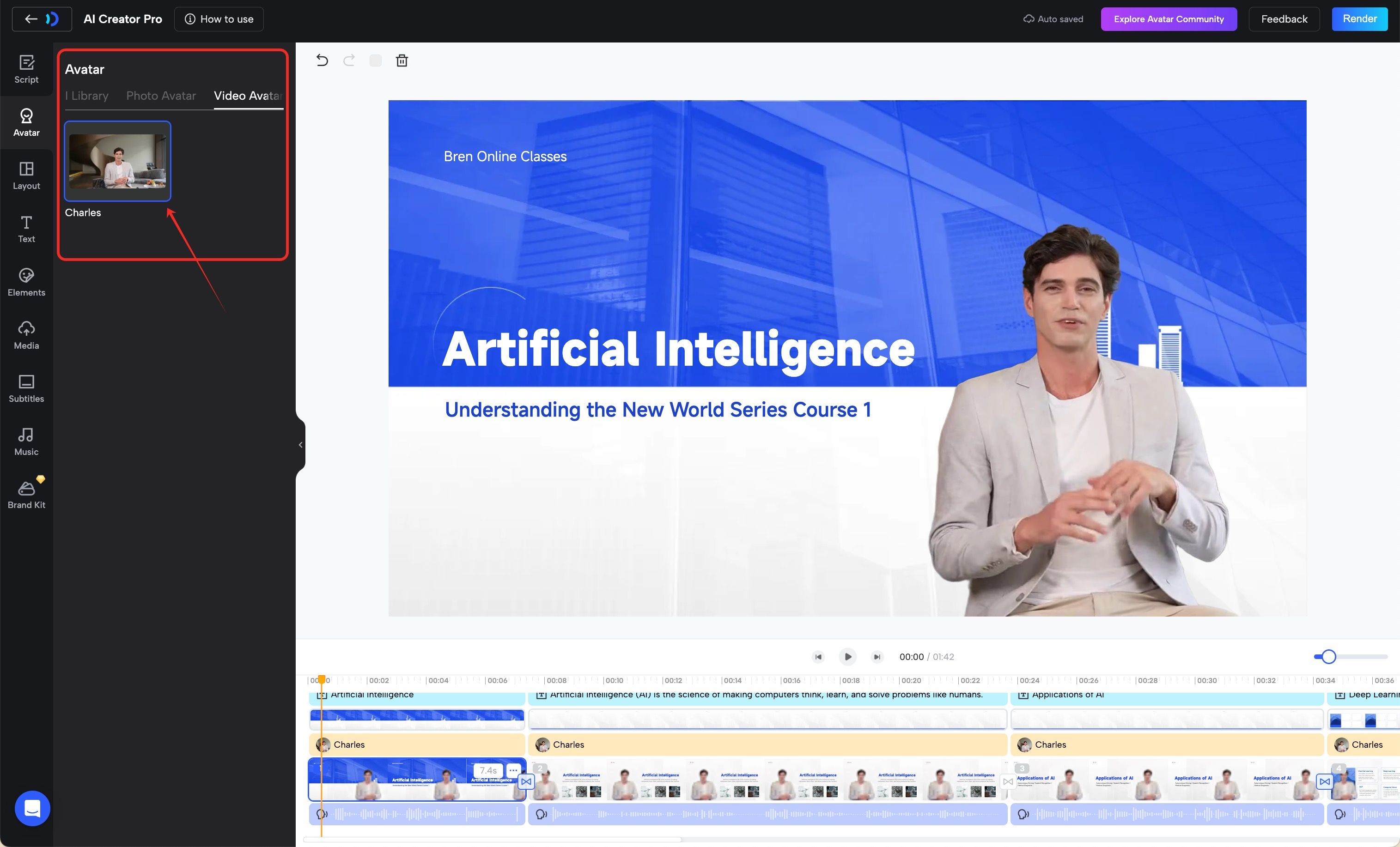
You can also select or replace your Video Avatar while creating a video in ProEdit.
Want to Replace Your Avatar?
If you are not satisfied with an avatar, you can replace it as long as it is not currently in use.
Important: Deleting a Custom Avatar permanently removes the avatar and all of its associated looks. This action cannot be undone.
Use Your Avatar with the JoggAI API
The JoggAI API allows developers to access supported public, custom, and photo avatars, generate avatar videos, and integrate supported JoggAI workflows into their own products or applications.
Your subscription credits are shared across the JoggAI Platform, API, and MCP, so you do not need to purchase a separate API plan. API calls deduct credits from the same balance according to the applicable feature, model, output settings, and duration.
For setup instructions, supported endpoints, and workflow guides, visit the JoggAI API Documentation. For current subscription allowances, visit the JoggAI Pricing Page.
